Your Guide to Join Discord Quest and Earn Rewards

So, how do you actually jump into a Discord Quest? Generally, you'll spot an announcement in a server, use a bot command to accept the challenge, and then get to work on the required tasks. These can be anything from a quick social media follow to more involved in-game objectives. Once you're done, the rewards are delivered automatically, making the whole thing feel pretty seamless and fun, all without ever leaving Discord.
What Are Discord Quests and Are They Worth It?
Let's break down what all the hype is about. At their heart, Discord Quests are interactive challenges built right into the servers you already hang out in. They’re designed to turn you from a passive lurker into an active, rewarded member of the community. For the projects and game devs running them, it’s a brilliant way to get people genuinely engaged. For you, it's a straight shot to earning some cool stuff.

These are much more than your standard raffle or giveaway. A quest might challenge you to watch a new game trailer, stream a game for 15 minutes with friends, or try out a specific app feature. This whole model works so well because it connects with people who are already there and interested.
Even Discord itself got in on the action, using Quests as a clever form of rewarded advertising. Players could earn in-platform goodies just by checking out new content. With more than 200 million monthly active users spending about 1.5 billion hours a month playing games, it’s clear the audience is massive and ready for action.
The Value Proposition for You
The big question is, are these quests actually worth your time? It really boils down to the rewards. You’re not just chasing clout; you can walk away with things that have real value.
Here's a taste of what you can typically snag:
- Exclusive In-Game Items: Think unique skins, powerful weapons, or early access content you can’t get any other way.
- Special Server Roles: A coveted role that might unlock private channels, special permissions, or other community perks.
- Crypto Tokens or NFTs: For web3 projects, quests are a super common way to earn cryptocurrency or a unique Non-Fungible Token (NFT) directly.
- Discord Orbs and Nitro: Some official quests from Discord even pay out in "Orbs," which you can trade for cool profile cosmetics or even Nitro credits.
The magic of a really good quest is that it feels less like a chore and more like a guided tour of a project you're already excited about. It's a true win-win: you get rewarded for your exploration, and the project gets a more invested community.
This whole approach is a key part of what's known as community gamification. By adding game-like mechanics to community activities, projects make the experience stickier and way more fun.
At the end of the day, whether a quest is "worth it" is up to you. If you're into the project and the rewards look appealing, go for it!
A Quick Look at Common Discord Quests
Here are the typical kinds of tasks you’ll run into while exploring Discord Quests.
| Quest Type | Typical Tasks | Example Rewards |
|---|---|---|
| Social Engagement | Follow on X, join a Telegram, retweet a post | Exclusive Discord role, entry into a raffle |
| In-Game Activity | Reach level 5, defeat a specific boss, stream for 15 minutes | Unique in-game skin, special item, XP boost |
| Content Interaction | Watch a YouTube video, answer a quiz, visit a website | Small amount of crypto (e.g., tokens), NFT badge |
| Community Growth | Invite 3 friends to the server who reach a certain level | Bonus XP, a special "Recruiter" role, NFT |
As you can see, the tasks are usually pretty straightforward and directly tied to helping the community or project grow.
Alright, you're ready to jump in and start racking up some rewards. But first, you've got to find the quests. Think of it as the first step of your adventure—figuring out where the opportunities are tucked away. Once you know the lay of the land, you'll start spotting them all over the place.
Let's be real, projects aren't just shouting these quests into the ether. They share them with the people who matter most: their community. That means the key is being in the right Discord server at the right time.
Scouring Server Channels
Your first stop should always be the channel list in a project's server. This is your treasure map. Most servers that are serious about community engagement have dedicated spots for this kind of stuff. Take a second to look for channels with names that jump out.
You'll often find them under names like:
#questsor#quest-board: The most obvious, and thankfully, very common.#announcements: Big-time quests often get a shout-out here so nobody misses them.#eventsor#campaigns: Sometimes quests are part of a bigger community push or event.#earn-rewards: Can't get much clearer than that.
When you spot a quest announcement, it'll usually give you the lowdown: what the quest is, what you get for doing it, and a link or a bot command to get started. You might see something like, "Head to our quest channel and type /start-quest to begin!"
A little tip from someone who's been there: Check if the server has a role-selection channel. You can often assign yourself a "Quests" or "Announcements" role. This is a game-changer, as you'll get a notification ping the second a new quest goes live, putting you ahead of the curve.
Keeping an Eye on Third-Party Questing Platforms
While some projects build their own quest bots, a ton of them use established third-party platforms that plug right into Discord. Getting familiar with these is a massive shortcut. It's like having a dashboard where you can see quests from all sorts of different communities in one spot.
These platforms are the bridge connecting your Discord profile, social accounts, and crypto wallet to make task verification seamless. When a project launches a new quest, they'll often just drop a direct link to their campaign page on one of these sites.
You'll run into these names a lot:
- Zealy (you might remember it as Crew3): Super popular for driving community engagement with all kinds of quests and competitive leaderboards.
- Galxe: A huge player in the Web3 space, especially for campaigns that dish out NFTs or on-chain credentials as rewards.
- Layer3: This one makes exploring different crypto projects feel like a game, with quests designed to help you interact with various protocols.
When you join a Discord quest through one of these platforms, you'll be asked to connect your Discord account. This is totally standard—it’s how the platform confirms you’ve actually completed tasks like "Join our server" or "Achieve the 'OG' role." We'll dig into the security side of connecting your accounts later on, but for now, just know these platforms are the engine powering a huge number of the quests you'll be tackling.
Connecting Your Accounts Without Getting Rekt
Okay, let's talk about the step that makes a lot of people nervous, especially if they're just dipping their toes into Web3. When you go to join a Discord quest, you're almost always going to be asked to connect a crypto wallet or link a social account like X. We’ll walk through how to do this safely so you can chase those rewards without worrying about risk.
Connecting your wallet is the big one, and it's where you need to pay the most attention. This is how the quest platform checks your on-chain activity. It needs to "read" your wallet address to see if you’ve done things like hold a specific NFT or interact with a certain decentralized app.
Here’s a quick visual of how you’d typically find a quest inside a Discord server. It's a pretty straightforward path.
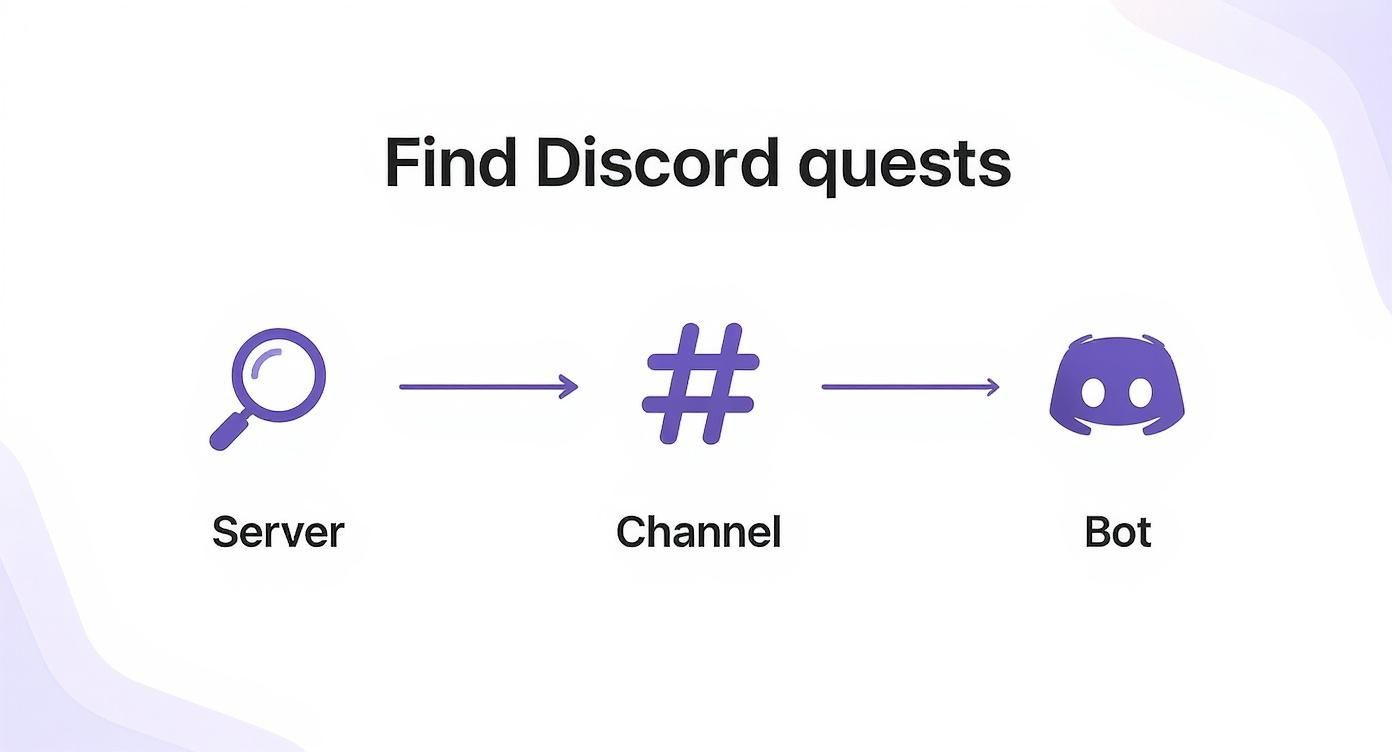
You find the right server, head to the quest channel, and interact with the quest bot. That bot is what will guide you through connecting your accounts.
What “Connecting Your Wallet” Actually Means
When you click "connect," a pop-up from your wallet (like MetaMask, for example) will appear. Think of this as your first security checkpoint. It's asking for a signature request—basically, you're digitally signing a message that proves you own the wallet.
This is a critical distinction: a standard signature request is a "read-only" permission. It does not give the platform the power to spend your funds or move your assets.
But this is also where scammers try to trip you up. A malicious site can disguise a wallet-draining transaction to look like a simple signature request.
Key Takeaway: Never, ever sign a transaction you don't fully understand. If a quest asks for permissions that seem way over the top, like "Set Approval For All," that’s a massive red flag. Back out immediately. For 99% of quests, a simple signature is all they need.
Your Security Playbook
To keep your crypto safe, you need to build a few solid security habits. These aren't complicated, but they can save you from a world of pain.
- Use a Burner Wallet: Seriously, do this. Set up a separate wallet that you use only for quests and airdrop hunting. Keep just enough crypto in it for gas fees and never, ever connect your main "hodl" wallet to a questing platform.
- Double-Check the Bot and Links: Before you click anything, make sure you're talking to the official quest bot. Scammers are experts at creating fake bots that look identical to the real thing. Always check the server's official announcements or pinned messages for the legitimate links.
- Practice Good Digital Hygiene: Get into the habit of revoking permissions. Once a quest is done, use a tool like Revoke.cash to see which apps have access to your wallet and remove any you're no longer using.
And don't forget, some quests offer other ways to log in. We cover this in more detail in our guide on how to use an email for Web3 quests.
Ultimately, the best way to avoid getting rekt is to protect your master key. Truly mastering seed phrase security is the most fundamental thing you can do to safeguard your digital life. Guard it like your life depends on it—because in Web3, it kind of does.
On-Chain vs. Off-Chain Tasks: What's the Difference?
When you dive into a Discord quest, you’ll quickly notice that tasks usually fall into two big buckets: on-chain and off-chain. Knowing what you're up against helps you tackle them efficiently and understand what the project is asking of you.
Off-chain tasks are the easy ones. They’re all about actions that happen outside of a blockchain, mostly centered on growing a project's social buzz and community engagement. A quest bot can typically verify these almost instantly by hooking into the APIs of other platforms.
What to Expect from Off-Chain Tasks
You'll run into these all the time. They're designed to be low-effort, quick wins that let you stack up points or rewards without touching your crypto wallet.
- Social Media Follows & Shares: The classics. Following an X account, retweeting a specific post, or hopping into a Telegram group. The bot just checks if your connected social account did the thing.
- Discord Server Stuff: This could be as simple as reacting to an announcement with a certain emoji or inviting a couple of friends to the server.
- Content Views & Quizzes: You might be asked to watch a YouTube video, visit a project’s blog post, or answer a quick quiz to show you’re paying attention.
For some of these tasks, especially those about promoting content, it doesn’t hurt to know how to appear in AI search answers to boost your online presence.
It's also worth remembering that Discord is a global platform. While over 60% of users in the US are on desktop, mobile users in India make up almost 66% of traffic. This is why simple, accessible off-chain tasks are so important—they work for everyone, everywhere.
Getting Your Hands Dirty with On-Chain Actions
Alright, now for the fun part. On-chain tasks are where you interact directly with a blockchain. This is the real "Web3" side of the quest, where you prove you’ve actually used a protocol, swapped a token, or minted an NFT.
These tasks require you to have your crypto wallet connected and usually need a little bit of crypto to cover gas fees. They're a bigger deal because they prove you're more than just a follower—you're an active participant in the ecosystem. Projects often use these on-chain activities as a gateway to more significant rewards, like those in a crypto points program.
Pro Tip: Always, and I mean always, check gas fees before you start an on-chain task. Pull up a gas tracker for whatever blockchain you’re on (Ethereum, Solana, etc.) to see when the network is least busy. A simple task can get surprisingly expensive if you try to push it through during peak hours.
Making Sure Your On-Chain Work Counts
Unlike the instant checkmark you get with off-chain tasks, on-chain verification isn’t immediate. It takes a little patience. After you approve a transaction in your wallet, the quest platform has to wait for it to be confirmed by the blockchain itself.
If you're waiting for a task to get marked as complete, here's a quick rundown of what to do:
- Check Your Wallet First: Your wallet will show the transaction status, first as "pending," then as "confirmed" or "successful." That’s your first signal that things are moving along.
- Use a Block Explorer: For definitive proof, copy the transaction hash (that long string of letters and numbers) from your wallet. Paste it into a block explorer like Etherscan for Ethereum or Solscan for Solana. This will show you exactly when and where your transaction was recorded on the blockchain.
- Head Back and Refresh: Once the block explorer shows it’s a success, give it another minute or two and then refresh the quest page. The bot should now be able to see your on-chain activity and give you credit.
Solving Common Problems When Quests Go Wrong
We've all been there. You've jumped through the hoops, followed all the steps, and… nothing. The quest bot just sits there, refusing to give you credit. It’s a super frustrating moment, but trust me, most of these hiccups are common and totally fixable.
Before you start pulling your hair out, let's try the easiest fix first: a hard refresh of the quest page. Seriously, sometimes the connection just needs a good kick to sync up properly. If that doesn’t do the trick, take a second to double-check that you're using the right account. It’s surprisingly easy to forget you were logged into a different X or Discord profile, and it happens to the best of us.
When Simple Fixes Don't Work
Okay, so a refresh didn't work and you're sure it's the right account. Time to dig a bit deeper.
For social media tasks, like a retweet or a follow, there can sometimes be a slight delay. The verification bot might just be swamped. Give it a solid five minutes before you hit the panic button.
If you’re stuck on an on-chain task, remember that blockchains aren’t instant. Pop your transaction hash into a block explorer like Etherscan or Solscan and make sure it actually went through successfully. If it failed, you'll have to try it again, maybe with a little more gas this time.
Here’s a quick mental checklist to run through:
- The Classic Refresh: Did you hit Ctrl+R (or Cmd+R) on the quest page?
- Account Check: Are you 100% sure you linked and used the correct wallet and social profiles?
- Blockchain Lag: For anything on-chain, did you confirm the transaction was successful on a block explorer?
- Bot Overload: Could the bot just be slow? Sometimes you just need to wait a few minutes and try verifying again.
How to Ask for Help the Right Way
If you’ve gone through all that and you're still stuck, it's time to call in the cavalry. But how you ask for help makes a huge difference.
Dropping "quest broken pls fix" into the general chat is a surefire way to get lost in the noise. Instead, look for a dedicated channel for support.
Most well-run communities will have a specific place for this, like a
#quest-helpor#support-ticketschannel. Using these channels means your issue lands directly in front of the community managers or mods who can actually help.
When you post your issue, be specific. Give them the details they need to solve your problem fast. Include your public wallet address, a screenshot showing the error, and a quick sentence on what you’ve already tried. This arms the team with everything they need to get you sorted, so you can get back to earning those rewards.
Got Questions? We’ve Got Answers.
Still have a few things you're wondering about? Good. It's smart to be curious. When people first start diving into Discord quests, the same few questions always seem to pop up. I’ve put together the most common ones I hear to help clear things up before you jump in.
Think of this as your final check-in. Getting these details straight will make the whole experience a lot smoother.
Are Discord Quests Actually Safe?
This is the big one, and for good reason. The short answer is: yes, as long as you’re smart about it. Quests run by legitimate projects are almost always safe. But you still need to be on your guard. Always stick to the security best practices we covered earlier, like using a "burner" wallet and never, ever signing a transaction you don't fully get.
A few reminders that can save you a world of hurt:
- Check the Source: Only join quests from official links inside a project’s server. Scammers are experts at creating fake quest bots to drain your wallet.
- Read the Permissions: A quest bot just needs "read" access to see if you did something. If it's asking for permission to spend your funds, that’s a giant red flag. Run.
- Guard Your Keys: Your private key and seed phrase are for your eyes only. No legit quest, project, or person will ever ask for them. Period.
What’s the Deal with Discord Orbs?
You might notice some quests offering a reward called Discord Orbs, especially the ones promoted directly by Discord itself. Think of them as a virtual currency you can rack up by completing certain quests on the platform.
Once you’ve got a nice little stash of Orbs, you can head over to the Discord Shop to trade them for profile cosmetics or even Nitro credits. It's basically Discord's own little rewards program for getting involved.
The introduction of Orbs is a huge signal. It shows that quests aren't just a niche community thing anymore; they're becoming a core feature of Discord, with real rewards baked right into the platform.
Can I Do These Quests on My Phone?
Absolutely! Most of them, anyway. While some of the more complex on-chain tasks are definitely easier with a keyboard and mouse, the vast majority of social tasks and simpler quests work perfectly on mobile. Platforms like Zealy and Galxe have solid mobile sites, and Discord's own quests are built right into the app.
This is a huge deal. By early 2025, Discord had 231 million monthly active users, and a surprising 54% of them don't even identify as gamers. This huge, diverse audience is often on the go, so projects have a massive incentive to make sure their quests work flawlessly on any device. You can dig into more stats about Discord’s global user base on sqmagazine.co.uk.
Ready to build awesome, reward-based campaigns that actually grow your Web3 project? With Domino, you can design and launch powerful quests in minutes, no coding needed. Automate your community growth today.