How to AirDrop an App The Right Way on Your iPhone

Ever tried to AirDrop an app to a friend and got stuck? You're not alone. It feels like it should work, but the reality is a little different.
The short answer is you can’t AirDrop the actual app file from one iPhone to another. Apple has some pretty strict security rules that prevent this. Instead, when you "AirDrop an app," what you're really doing is sending a direct link to its page on the App Store. It’s a quick, secure, and surprisingly efficient way to get the job done.
Why You Can’t Just Send the App Itself
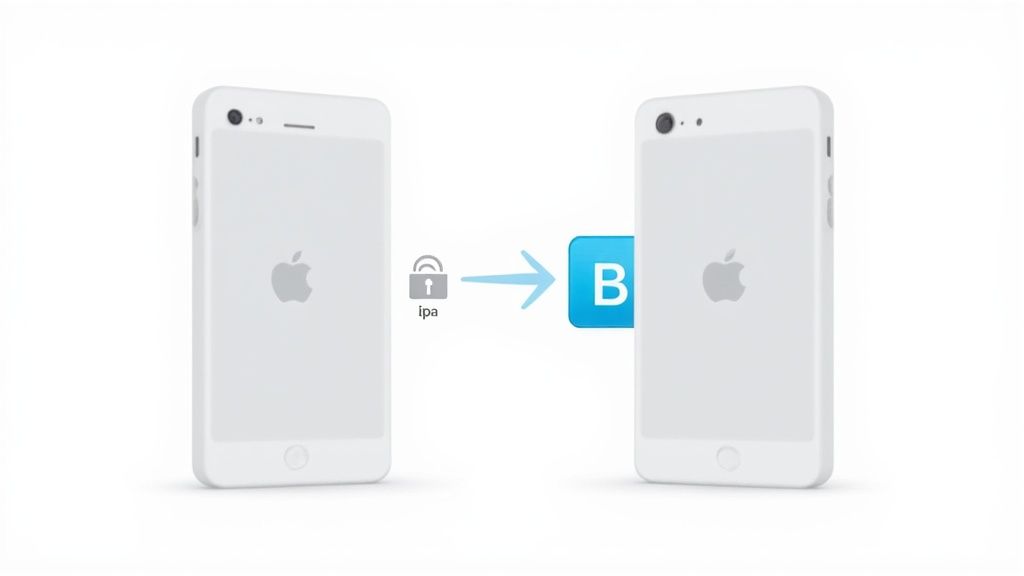
If you’ve poked around the share sheet on an app, you’ve probably noticed the option to send the app itself is missing. That’s not a bug—it’s a core part of how Apple designed iOS. Every app is a protected package, and the system is built to stop you from just flinging those packages from one device to another.
This "walled garden" approach is all about making sure every app on your phone has been checked and approved by the App Store. It’s what protects your device from malware and helps ensure developers get paid for their hard work.
It’s All About Security
At its heart, this restriction boils down to two things: security and digital rights management (DRM). If Apple let us send app files (known as .ipa files) directly, it would open a Pandora's box of problems.
- Major Security Risks: Imagine getting a "cracked" version of an app from a friend that’s secretly loaded with malware. Allowing direct file transfers would make it incredibly easy for malicious software to spread.
- Protecting Developers: It would completely bypass the App Store, which is the entire marketplace built to support developers and provide a trusted source for software.
Think of it this way: AirDrop is for sharing content from your apps, not the apps themselves. You can AirDrop a photo from your Photos app or a link from Safari, but you're not sending the code for the Photos or Safari app.
To make this crystal clear, here’s a quick breakdown of what you can and can’t share with AirDrop.
AirDrop Sharing: What Works vs. What Doesn't
| Content Type | Can You AirDrop It? | What Actually Happens |
|---|---|---|
| The App Itself (.ipa file) | No | You send a link to the App Store page. |
| Photos & Videos | Yes | The actual media file is transferred. |
| Contacts | Yes | The contact card (.vcf file) is sent. |
| Web Links | Yes | The URL is shared, opening in the browser. |
| Notes & Documents | Yes | A copy of the file is sent directly. |
As you can see, AirDrop is fantastic for content, but the app itself stays put. It's a system designed for security above all else.
The Evolution of Sharing Between Phones
This secure, link-based sharing is just the modern way of doing things. Apple introduced AirDrop way back in 2011, using a clever combination of Bluetooth and Wi-Fi to create encrypted, direct connections. It quickly became the gold standard for sharing files locally on Apple devices.
For a long time, Android users had to rely on "sideloading" APK files, which came with all the security risks Apple wanted to avoid. It wasn't until 2020 that Google rolled out Nearby Share as a more secure, native alternative. This shift across the industry shows just how important it is to balance easy sharing with robust security, a topic you can read more about on crypto.news.
Better Ways to Share Apps with Friends and Family
While shooting a quick App Store link over to a friend is easy, what if you want to share the actual app you paid for? You can’t exactly AirDrop the app itself, but Apple has a much better, built-in solution for this.
For your inner circle of family and close friends, the answer is Family Sharing. It’s a fantastic feature that lets up to six people share their App Store purchases. This means you only have to buy an app once for everyone to enjoy it.
It's a huge money-saver, especially if you have kids who all want the same games or educational apps. You set it up once, and the family organizer's purchases become available to the whole group.
How to Grab Apps Through Family Sharing
Once your Family Sharing group is up and running, getting your hands on those shared apps is a piece of cake. Forget searching the store—just dive into your purchase history.
Here’s how to download an app another family member bought:
- First, open up the App Store.
- Tap your profile picture in the top-right corner.
- Go to Purchased, and then tap on a family member's name.
- You'll see everything they've ever bought. Just tap the little cloud icon to download any of their eligible apps to your device, completely free.
This is the closest you'll get to genuinely sharing a paid app. It’s secure, respects the developers' hard work, and saves your family money on great content.
Just a heads-up: not every single app can be shared. Developers have the option to opt out of Family Sharing, but thankfully, the vast majority of paid apps are on board.
Suggest Apps with a Curated List
Looking for a more organized way to recommend a bunch of apps? Try making a curated list. While the official "Wish List" feature isn't what it used to be, the idea is still solid.
You can easily pull together your favorite apps in a Notes list or a message and send it over.
This is perfect for sharing a set of productivity tools with your team or a collection of essential travel apps with a friend who's about to go on vacation. It’s a personal touch that gives them a whole collection to check out at once.
Distributing Apps for Testing and Business
So, what happens when the app you want to share isn't even on the App Store yet? You definitely can't AirDrop an app that's still a work in progress. For developers, startups, and businesses, getting a pre-release app into the hands of testers or employees requires a completely different approach.
These professional distribution methods are all about control, feedback, and security. Instead of just sending a public link, you're opening a private channel to a specific group of people—whether they're beta testers providing critical feedback or employees who need a custom tool for their job. This is where tools like Apple’s own TestFlight really shine.
Using TestFlight for Beta Testing
If you're an iOS developer, you probably already know about TestFlight. It's Apple's official—and free—platform for getting beta versions of your apps out to testers. It’s pretty much the industry standard for gathering feedback before a big launch. A developer can invite up to 10,000 external testers with nothing more than an email address or a public share link.
Of course, once you're ready to go live, the process is a bit more involved. For that, you’ll need to publish an app on an app store.
This flowchart breaks down the two main paths for getting a non-public app onto devices: TestFlight for testing and MDM for business use.
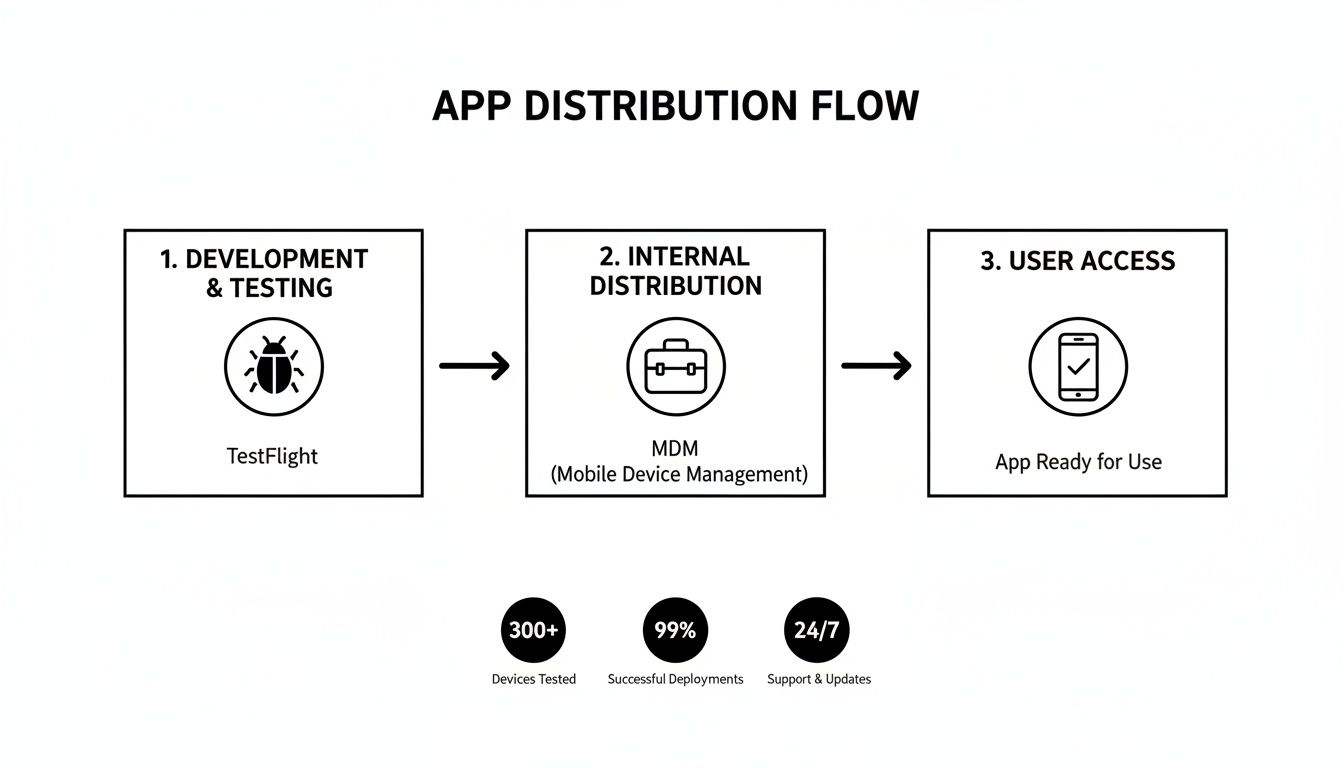
As you can see, the creative testing phase is kept separate from secure corporate deployment. Each tool is built for a very different job.
Testers get an email invite, grab the free TestFlight app from the App Store, and then use that to install your beta app. Just remember, running a great testing phase is an art. We've put together some practical tips on how to run an effective beta tester program to make sure you get the best feedback possible.
Deploying Internal Apps with MDM
What about businesses that need to get proprietary apps onto their employees' devices? That's where Mobile Device Management (MDM) comes in. An MDM solution gives a company the power to securely and wirelessly push its own internal apps onto company-managed phones and tablets.
MDM goes way beyond just apps. It gives an organization full remote control over its entire fleet of devices. IT teams can configure settings, enforce security rules, and manage all the software without ever physically touching a single device.
This method completely bypasses the public App Store, which is perfect for keeping your company's sensitive applications private and secure. It's the go-to solution for making sure your team has the custom tools they need to get their work done.
The Modern Twist: Web3 App "Airdrops"
When you hear someone in crypto talking about how to "airdrop an app," they mean something entirely different from Apple’s AirDrop. It has nothing to do with sending an actual application file from one phone to another.
In the Web3 world, an airdrop is all about strategic distribution. Projects send free cryptocurrency tokens or NFTs directly into people's digital wallets to kickstart a community. Think of it less as a giveaway and more as a powerful tool for finding a project's first die-hard fans. These digital assets are like a key, unlocking a totally new kind of relationship between you and the app.
From Software to Ownership
Getting your hands on these airdropped assets often comes with some serious perks. A project might use this strategy to hand out governance tokens, which literally gives early supporters a vote on how the app evolves. It’s a huge shift from just being a user to becoming a stakeholder.
Here are a few other ways this plays out:
- Token-Gated Access: The token or NFT in your wallet acts like a digital VIP pass, getting you into the app or unlocking special features no one else can touch.
- Early Adopter Rewards: Projects will often scan blockchain data to find and reward active users of similar platforms. It’s a clever way to bring in experienced people from the competition.
- Instant Community: An airdrop immediately creates a user base of people who are financially invested in seeing the project succeed.
In Web3, your digital wallet is your identity. An airdrop isn't just marketing—it's an invitation to join a project's founding community, rewarding you for what you've done in the past and what you might do in the future.
To really get a handle on how these airdrops work, it helps to understand things like ERC20 tokens. You can check out some real examples of ERC20 token projects to see how they're used. These campaigns often rely on points systems to track engagement before the final token drop. If you're curious, we have a whole guide on setting up a crypto points program.
The Reality of Retention
Of course, not every person who gets a free token becomes a lifelong user. The data on what happens after an airdrop is pretty fascinating.
Recent analysis shows that about 30–40% of people who claim an airdrop stick around to become core, active users. So, while these events cast a wide net, they do a surprisingly good job of building that initial, committed user base that every new project needs to survive.
The High-Stakes World of Web3 App Airdrops
Let’s be real: using a Web3 airdrop to kickstart your app's community is a high-stakes, high-reward move. Nail it, and you can generate insane buzz, onboarding thousands of users who are instantly invested in your success. It’s a powerful way to answer the "how to airdrop an app" question by giving away real value, not just a download link.
But it’s a path loaded with traps for the unwary. The most classic blunder? A massive post-airdrop price dump. Hordes of recipients often cash in their free tokens immediately, tanking the value and spooking the true believers you wanted to attract in the first place.
Dodging the Common Pitfalls
Beyond the market drama, you’ve got a whole host of logistical and legal headaches to deal with. It's wild how many airdropped tokens just sit there, unclaimed. That's value you've created, locked away and failing to bring anyone into your ecosystem.
And then there's the regulatory minefield. Legal hurdles like geoblocking frequently force you to exclude entire countries, which is a terrible experience for people who are genuinely excited about your project.
These aren't small hiccups, either. They have massive financial consequences. Industry audits estimate that U.S. users alone were locked out of over $1.8 billion in potential airdrops between 2020 and 2025 because of these regulatory snags. You can see the full, eye-watering numbers in this breakdown of the crypto airdrop market on gate.com.
A successful airdrop is so much more than a giveaway. It's a calculated strategic launch. You need solid tokenomics, a smart plan to keep users around, and a clear path through the compliance maze.
At the end of the day, turning that initial hype into a sustainable community is the real challenge. You need to build long-term engagement with smart incentives. Thinking through quests and other follow-up activities is key to turning fleeting interest into genuine loyalty, something we dive into in our guide on designing community rewards. Without a solid post-airdrop game plan, even the biggest launch can die on the vine.
Still Wondering About Sharing Apps?
You've probably still got a few questions buzzing around about how AirDropping apps works—or doesn't work. Let's tackle some of the most common ones I hear.
What About Paid Apps? Can I AirDrop Those?
Nope, you can't AirDrop the actual app file for a paid app. Think about it—that would be like giving away the developer's work for free. What you can do is AirDrop the App Store link so your friend can buy it.
If you want to share a paid app you already own with your family, Apple Family Sharing is what you're looking for. Once you set it up, anyone in your family group can download eligible apps you've already purchased without paying again.
Is It Safe to Share Apps from Other Places?
This is a big one. Sharing app files (like a .ipa for iOS or .apk for Android) that you got from somewhere other than the official app stores is a really bad idea. Seriously.
Doing that bypasses all the security checks Apple and Google have in place, which is like leaving your front door wide open for malware and viruses. For your own security, just stick to sharing App Store links.
The official methods—sharing an App Store link or using Family Sharing—aren't just there to be difficult. They're built to protect your device and respect the hard work of developers by making sure every download is secure and legit.
Ready to create powerful Web3 airdrops and reward campaigns that actually drive engagement? With Domino, you can launch no-code quests and automate user rewards in minutes. Learn more about building your community at Domino.