How to Stop a Discord Server Raider A Complete Guide
Ever seen the term discord server raider thrown around? It refers to a person or a whole group who deliberately crashes a server to wreak havoc. Think spamming channels, dropping offensive content, or launching coordinated attacks just to create chaos. It's not an accident—it's a malicious act designed to overwhelm your moderators and completely ruin the experience for everyone else.
What Is a Discord Raid and Why Does It Matter
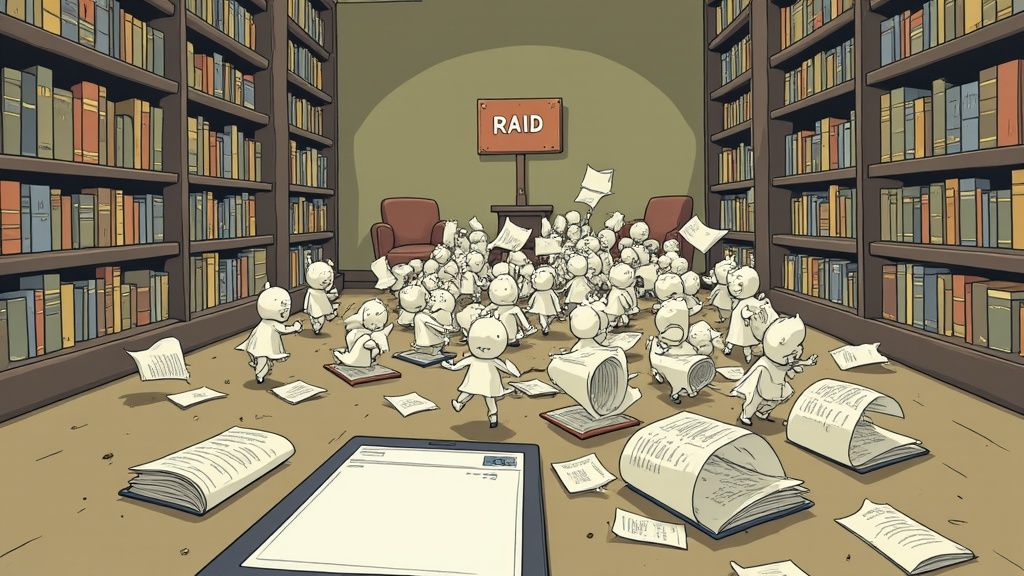
Imagine you've spent months building a vibrant, welcoming community—it’s like a cozy digital library where people share ideas and hang out. A Discord raid is like a flash mob bursting through the doors, screaming, and ripping pages out of books. It’s a sudden, coordinated flood of users or bots designed to make your server completely unusable.
This isn't just a small hiccup. For any growing community, especially in the Web3 world where trust is everything, a raid is a serious threat. It can instantly vaporize the sense of safety you've worked so hard to build, sending good members running for the hills and tanking your project's reputation. The chaos can get so bad that your only option is a full server lockdown, killing all conversation.
The Motivations Behind a Raid
To build a solid defense, you first have to get inside the head of a discord server raider. What drives them? Their motives vary, from bored troublemakers to attackers with a specific agenda.
- Trolling and Disruption: Honestly, some people just do it for the "lulz." They get a kick out of causing chaos and watching people react. For them, it's just a game.
- Targeted Harassment: Sometimes, it’s personal. A raid might be retaliation against a server owner, a specific member, or what the community stands for.
- Competitive Sabotage: In high-stakes arenas like crypto projects or gaming guilds, a rival might launch a raid to disrupt a competitor’s community and poach their members.
- Scams and Malicious Intent: The most dangerous raiders use the chaos as a smokescreen. While everyone is distracted, they drop phishing links, spread malware, or push scams, hoping to hijack accounts and wallets.
A server raid is more than just spam; it’s a stress test of your community's resilience, moderation team, and security protocols. How you prepare for and respond to one defines your community’s long-term health.
The Real Stakes for Your Community
The fallout from a raid goes way beyond a few hours of frantic cleanup. The damage can stick around. A single bad raid can erode the trust that holds your community together. When people don't feel safe, they don't stick around. It's that simple.
For Web3 projects, the danger is even greater. A compromised server can lead to very real financial losses if members get tricked by phishing links dropped during the attack. To investors and potential users, it sends a clear signal: this project can't even secure its own community.
Ultimately, preventing raids isn't just a moderation task—it's about protecting the foundation of your entire digital ecosystem. Having a defense plan isn't optional; it's essential.
Getting Inside the Raider's Playbook
If you want to stop a Discord server raider, you first have to think like one. You need to get familiar with their methods, their tools, and what makes a server like yours a juicy target in the first place.
Not all raids are the same. Some are just low-effort spam fests, while others are highly coordinated infiltrations that, at first, can look a lot like genuine user activity. By breaking down the raider's strategy, you can start to see their playbook and, more importantly, how to counter it.
Low-Effort vs High-Effort Attacks
A raider's approach usually falls into one of two buckets. Figuring out which one you're dealing with (or preparing for) is the first step to building the right defenses.
- Low-Effort Spam Raids: This is the most common kind of attack you'll see. Think of it as a digital flash mob storming your server to throw digital confetti everywhere. Attackers use simple, ready-made bots to flood your channels with walls of text, blast obnoxious noises in voice chats, or spam offensive images. The goal is pure chaos, and it’s all about overwhelming your mods with sheer numbers.
- Sophisticated Infiltrations: These are far more sinister and much harder to spot. In this scenario, raiders use automated accounts—often called "user-bots"—that are programmed to act like real people. They might trickle into your server over days or even weeks, easily bypassing basic verification checks. They lie dormant, blending in with the crowd, until they get the signal to launch a coordinated attack. This could be anything from a mass DM scam hitting your entire member list to a targeted effort to get your server leaders banned.
Raid tools aren't a new phenomenon; they’ve been evolving since 2018 when the first versions appeared on GitHub. These early tools enabled mass joining and messaging, leading to Discord terminating thousands of accounts. As Discord exploded in popularity—jumping from 196 million to 259 million monthly active users by 2023—raid incidents spiked a staggering 67% year-over-year, according to leaked security analyses. It’s a stark reminder that as platforms grow, so do the threats. You can discover more insights about this trend and what it means for community safety.
How Raiders Scout Their Targets
Raiders rarely pick their targets at random. They're opportunistic, always on the hunt for the easiest prey. It's a lot like burglars walking down a street, checking every door and window to find one that's unlocked.
They actively search for servers with glaring security holes—these weaknesses are basically a giant "welcome" sign for a disruptive attack.
A raider’s success often hinges less on their own skill and more on the server’s lack of preparation. The most attractive targets are those that have prioritized rapid growth over solid security, leaving their digital doors wide open.
Here are the key vulnerabilities they look for:
- Lax Verification Rules: If your server has no verification gate, or just a simple one like reacting to an emoji, you're a prime target.
- Public and Permanent Invite Links: An invite link that never expires and is plastered all over the internet is a goldmine for raiders.
- Inactive or Overwhelmed Moderators: Raiders often "test the waters" by sending a single spam account into a server. They're watching to see how quickly it gets banned. A slow response tells them the moderation team is either asleep at the wheel or can't keep up.
- Misconfigured Bot Permissions: Giving bots, even trusted ones, overly broad permissions (especially admin rights) can create backdoors that raiders are experts at exploiting.
Common Raider Tactics and Tools
Once a raider has a target in their sights, they have a whole arsenal of tools and tactics ready to go. They blend social engineering with powerful automation to cause as much damage as possible, as quickly as possible.
The attack often kicks off by exploiting an invite link—either by finding one posted publicly or by tricking a current member into sharing one. From there, they use specialized software to automate the creation and deployment of countless fake accounts.
These raid tools are built to perform a variety of nasty, automated actions:
- Mass Account Joining: Flooding the server with hundreds or even thousands of bot accounts in seconds.
- Channel Spamming: Unleashing walls of text, graphic images, or endless
@everyonepings across every channel they can access. - DM Advertising/Scamming: Automatically sending DMs with phishing links, crypto scams, or other malicious offers to every single member on your server list.
- Voice Channel Ear-Raping: Having bots join voice channels and blast loud, distorted, and often offensive audio to make them unusable.
By understanding these go-to tactics, you can start to build a defensive strategy that anticipates their next move. The real goal is to make your server so well-defended and unappealing to attack that they give up and move on to an easier target.
Spotting the Early Warning Signs of an Attack
A full-blown server raid feels like a sudden, chaotic explosion. One minute things are normal, the next it's pure chaos. But the truth is, the warning signs are often there long before things go critical. A seasoned discord server raider rarely just shows up and starts spamming; they often test the waters first.
Learning to spot these subtle signals is like feeling the tremors before an earthquake. It gives you precious time to lock things down and shut down the threat before it ever really begins.
The most obvious sign, of course, is a sudden, unnatural flood of new members. I'm not talking about the healthy growth you see after a big announcement. This is a tidal wave of accounts pouring in within minutes of each other, often with names that just look... off.
Suspicious Account Patterns
Raiders use automation, and automation always leaves a trail. The accounts they use for these attacks often share distinct, telltale characteristics that a sharp moderator can easily pick up on. If you see a cluster of new accounts with these traits, it's time to go on high alert.
Here are some of the most common red flags to watch for:
- Generic or Gibberish Usernames: Keep an eye out for names that are just random strings of letters and numbers (like "user_ax74bh9") or follow a suspiciously similar pattern (like "NFTBro01," "NFTBro02," "NFTBro03").
- No Profile Pictures: Most real users bother to set a profile picture. Raider accounts are made in bulk and fast, so they almost always skip this step, leaving them with the default Discord PFP.
- Brand New Accounts: This is a big one. Check the creation date on suspicious accounts. If a large group of new joins all have accounts created within the last hour, you’re almost certainly looking at a raid getting started.
The anatomy of a raid account is built for speed and disposability, not authenticity. An absence of personalization—no avatar, a generic name, a fresh creation date—is the loudest quiet signal you can get.
Unusual User Behaviors
Beyond what the accounts look like, what they do (or don't do) is just as telling. Raiders often do a little recon to see how sharp your defenses and mods are before they launch the main event.
Think of it like a burglar jiggling the doorknob before breaking in. They want to see if anyone's home and how fast they'll react. This "testing" phase can show up in a few different ways.
For instance, a single bot account might join and drop one spam message in a low-traffic channel. They're timing you. A slow response tells them the coast is clear for a much bigger, coordinated attack.
Another sneaky tactic is probing your server's bots. New users might start trying out various commands, looking for loopholes or permissions they can exploit to cause a ruckus. They might also join and immediately leave in a coordinated wave—a classic "join-leave" raid designed to flood your notification channels and drive your members crazy.
Keep an eye out for these behavioral tells:
- Sudden Silence: A big group joins but says absolutely nothing, just lurking in the member list.
- Command Probing: New users immediately start messing with bot commands instead of actually talking to anyone.
- Coordinated Joins/Leaves: A wave of users joins and leaves in rapid succession, spamming your welcome and goodbye channels.
- Immediate DM Activity: New accounts start mass-messaging members right after joining, sometimes before they even get through your verification steps.
To help you quickly tell the difference between a minor annoyance and a full-blown emergency, here's a quick reference table.
Raid Warning Signs Quick Reference
This table gives you a quick-glance guide to help you and your moderators spot potential raid activity as it's happening.
| Indicator Type | Subtle Warning Signs (Low Threat) | Obvious Warning Signs (High Threat) |
|---|---|---|
| New User Volume | A small, unusual bump in joins (5-10 users) in a short time. | A massive, sudden influx of 50+ accounts within minutes. |
| Account Names | A few users with similar, but not identical, naming patterns. | A large group with identical name formats or gibberish usernames. |
| Account Profiles | Some new users have default avatars or no profile info. | The vast majority of new joins have default avatars and were created today. |
| Initial Behavior | A few new users are silent or probe a single bot command. | A coordinated wave spams a single channel, joins/leaves, or DMs members. |
| Chat Activity | A single suspicious link or odd message posted in one channel. | Mass spamming of identical messages, links, or mentions across multiple channels. |
By recognizing these early warning signs—both in account patterns and user behavior—you can stop being reactive and start being proactive. It's how you shut down a potential discord server raider before they get a chance to even fire their first shot.
Your Emergency Action Plan for a Live Raid
When a raid hits, it’s a blur. Spam, notifications, and chaos erupt all at once. In that moment, panic is your worst enemy. A clear, decisive action plan is what separates a minor disruption from a community-destroying event. Think of this as your fire drill for a digital emergency—a step-by-step checklist to contain the damage, remove the threat, and restore order when a discord server raider strikes.
The first move isn't to start banning wildly. It's to stop the bleeding. Your immediate goal is to slam the emergency doors shut, cutting off the raiders' entry points and limiting their ability to cause more harm.
Phase 1: Contain the Threat Immediately
As soon as the attack kicks off, your moderation team needs to act as a single unit to lock the server down. These first steps are all about halting the raid in its tracks and giving you the breathing room to figure out what's going on.
- Pause All Invite Links: Head straight to
Server Settings>Invitesand hit pause. This is the single most important step to stop new raider accounts from pouring in. - Activate Slow Mode or Channel Lockdown: In the channels getting hit, crank up slow mode to the max. If it's a really bad one, use your moderation bot’s lockdown command to stop anyone but your team from talking.
- Raise Verification Levels: As a temporary measure, jump into
Server Settings>Safety Setupand increase the verification level. Setting it to "Highest" (which requires a verified phone number) is a blunt but effective tool for stopping most automated accounts.
These actions create an instant bottleneck, trapping the raiders already inside and preventing any reinforcements from joining the fight.
Phase 2: Remove the Bad Actors
With the server locked down, you can shift your focus to cleanup. This is where mass banning tools become your best friend. Most good moderation bots have a command like !massban or !raidmode that lets you quickly boot accounts that joined within a specific timeframe.
A live raid is a test of your process, not just your people. Having a pre-defined incident response plan turns panicked, individual actions into a coordinated, effective defense. Swift containment is key.
While you're cleaning up, document everything. Take screenshots of the spam, copy the user IDs of the main offenders, and save any message links that are particularly nasty. This evidence is crucial for the next phase. The most efficient approach is usually to manually ban a few of the ringleaders and then let a bot handle the rest.
To really manage a live raid well, it helps to have a comprehensive cyber security incident response plan prepared ahead of time. This kind of framework ensures you cover all your bases during and after the attack.
Phase 3: Report, Recover, and Reassure
Once the immediate threat is gone and the raiders have been kicked out, the work isn't over. The final, and arguably most important, phase is about making sure this doesn't happen again and rebuilding trust with your community. It's a step too many server owners skip in their rush to get back to normal.
Don't underestimate the fallout. In the US, where 42% of Gen Z use Discord weekly, these attacks have real consequences. A recent FBI alert noted that raids escalated to doxxing in a staggering 41.72% of cases. On top of that, gaming communities can lose an estimated 15% of their members after a serious raid. You can read more about these Discord trends and see just how serious the impact on user safety can be.
Here’s your post-incident checklist:
- Report to Discord: Use the evidence you gathered to report the raid and the accounts involved directly to Discord's Trust & Safety team. The more detail you provide, the better their chances of taking action.
- Communicate with Your Community: Don't just sweep it under the rug. Post an announcement acknowledging what happened, explain the steps you've taken to secure the server, and reassure your members that they are safe. Transparency is how you maintain trust.
- Conduct a Post-Mortem: Get your moderation team together and talk through what happened. What security holes did the raiders get through? Was your response time good enough? Use it as a learning opportunity to make your defenses stronger. For example, you might decide you need a new system to manage roles. You can get started by checking out our guide on how to create a blacklist for specific roles to prevent known bad actors from getting back in: https://domino.run/explore/templates/discord-role-blacklist-242
Building a Raid-Proof Server Environment
Reacting to a raid is pure chaos, but the real win is building a server that a discord server raider decides isn't even worth their time. It's like fortifying a castle. You don't just sit around waiting for an attack—you build high walls, post lookouts, and create a system that makes attacking more trouble than it's worth. This proactive mindset is what separates a vulnerable server from a secure one.
It all starts with the basic settings every server owner needs to get right. Think of these as the fundamental locks on your digital doors. They're surprisingly effective at filtering out low-effort attacks before they can even get started.
Your Foundational Security Settings
Before you even look at fancy bots or complicated workflows, you have to nail Discord’s built-in security features. These settings are powerful, free, and, frankly, most communities don't use them to their full potential. They're your server's bouncer, checking IDs at the door.
- Crank Up the Verification Level: Head to
Server Settings > Safety Setupand set your verification level to at least "Medium" (the user's account must be older than 5 minutes). For maximum protection, go with "Highest," which requires a verified phone number. This single setting is incredibly good at stopping bot accounts dead in their tracks. - Turn On AutoMod Rules: Discord's AutoMod is a beast. You can set it up to automatically block common spam, flag sketchy links, and stop people from spam-pinging everyone with mass mentions. Start with the default rules and then tweak them as you see what kind of trash people try to post.
- Scan Media Content: Make sure "Scan media content from all members" is toggled on. This feature automatically finds and deletes explicit images, a go-to tactic for raiders trying to shock and disrupt your members.
Designing a Robust Verification Workflow
That simple "react to this emoji to get in" gate just doesn't cut it anymore. Raiders can automate that in their sleep. A truly raid-proof server needs a multi-step verification process that’s a pain for a bot to solve but still a breeze for a real person.
The goal here is to create a small bit of friction that confirms human intent. For instance, you could use a bot to ask new members a simple question about your project—something a raider's script wouldn't know. You could even get creative and tie roles to positive actions, like how some communities give a special role when you join your Discord server and receive a reward. It ensures people are engaged from the very beginning.
A good verification process isn't about building an impossible wall. It's about asking a simple question: "Are you actually here to be part of the community?" Bots can't answer that honestly.
Leveraging Powerful Anti-Raid Bots
While Discord’s native tools are your first line of defense, dedicated anti-raid bots are your special forces. These tools are built specifically to spot and shut down raid patterns in real-time, often way faster than any human moderator could hope to.
Look for bots with features like:
- Join-Gate and Account Age Checks: Automatically flagging or kicking accounts that are brand new (e.g., created in the last 24 hours).
- Anti-Spam Detection: Recognizing when a bunch of users all post the same message at once and taking immediate action.
- Raid Mode: A big red button that lets you lock down the server with a single command, pausing invites, muting new members, and enabling other emergency measures.
This simple response protocol shows the core steps to take the moment things go south.
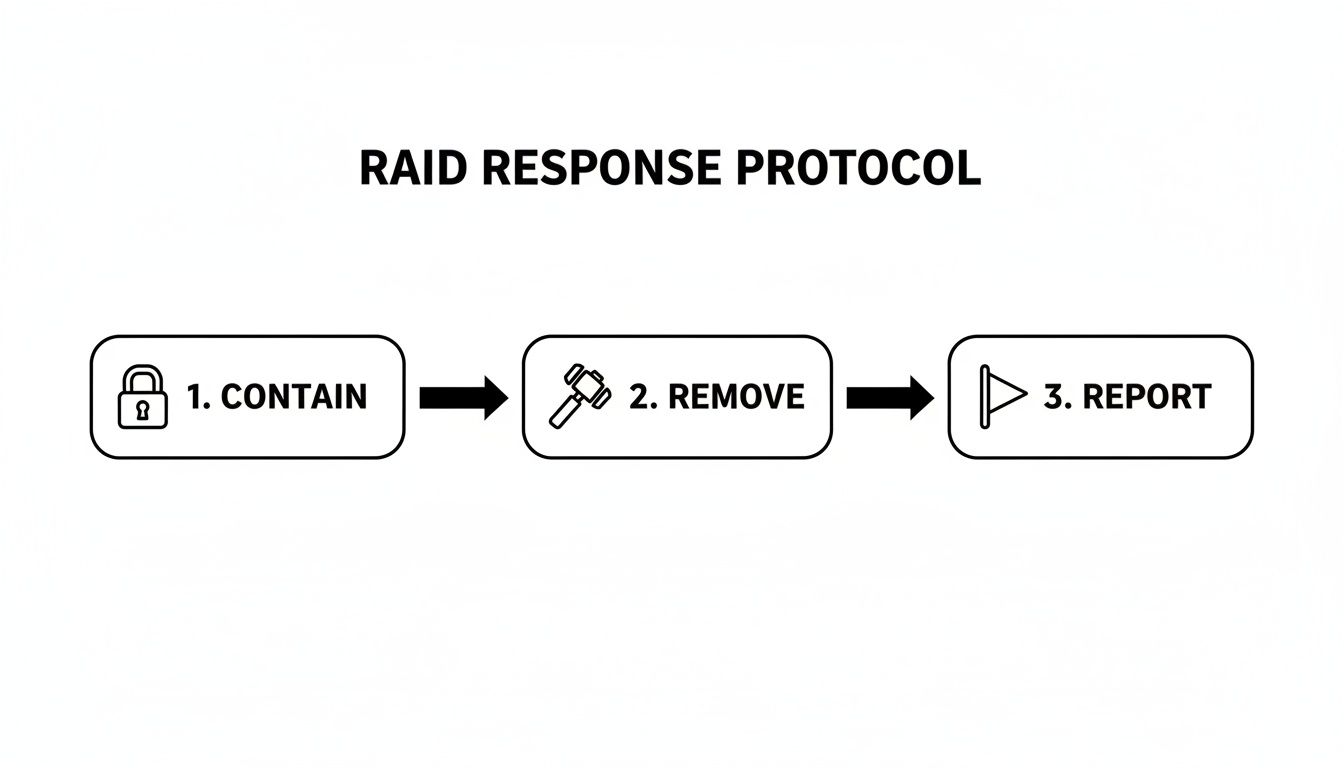
The process is all about being decisive: first, stop the bleeding, then get the attackers out, and finally, report them.
For bigger communities or Web3 projects with a lot on the line, you might need to bring in the big guns. Professional cybersecurity consulting services can audit your setup and implement advanced defenses that go way beyond standard bots.
By layering strong foundational settings, a smart verification process, and powerful automation, you create a defense that makes your server a very unattractive target for any would-be discord server raider.
Got Questions? We’ve Got Answers.
Even with a solid game plan, you're bound to have some questions floating around. Let's dig into a few of the most common things moderators and community managers ask when it comes to dealing with a potential discord server raider.
Can a Private Discord Server Be Raided?
Absolutely. Don't let the word "private" fool you into a false sense of security. A private server can be hit just as easily as a public one if an invite link gets into the wrong hands.
All it takes is one compromised member or one leaked link, and your closed community is suddenly wide open. This is exactly why managing your invite permissions is so critical. Stick to single-use or time-sensitive invites whenever possible, even for your trusted members.
What Is the Difference Between a User-Bot and a Regular Bot Raid?
Think of it like this: a regular bot raid is noisy and obvious. It uses automated scripts that plug into Discord's official bot API, which means they often follow predictable patterns that Discord and good moderation tools can sniff out and shut down pretty quickly.
A user-bot raid is a whole different beast—and far more dangerous. These attacks use automated real user accounts, which is a huge violation of Discord's Terms of Service. Because they look and act like legitimate users, they can often slide right past basic verification checks and anti-bot defenses.
This stealthy approach makes them incredibly effective at infiltrating your server and getting into position before launching a full-scale attack. They're a much bigger threat to your community's safety.
Will Discord Automatically Ban Accounts in a Raid?
Sometimes, but don't count on it being instant or guaranteed. While Discord’s Trust & Safety team does take action against raiders, their systems rely heavily on fast, accurate reporting from server moderators and users.
For Discord to step in, you need to report the attack and the accounts involved with clear, undeniable proof. We're talking user IDs, message links, and screenshots of the chaos. The reality is, they get a massive volume of reports, so many initial reviews are automated. Without a detailed report from your team, sophisticated raiders can easily slip through the cracks.
Ready to stop playing defense and start building a genuinely raid-proof community? Domino gives you the tools to design and launch automated, reward-based campaigns that keep your members hooked and your server safe. It's time to build, not just react. Learn more at domino.run.